The smart routing playbook
One link for every device, geo and moment
 5 min read
Updated Sep 27, 2026
Start with the sentence, not the rule
The best routing setups begin as a sentence someone could say out loud: "iPhone users go to the App Store, Android users to Google Play, everyone else to the landing page." If you cannot say it in one breath, the rule is too clever. If you can, the configuration is nearly mechanical: one condition per clause, one destination per branch, and a default for the "everyone else" that every good sentence ends with.
That default is the part people skip, and it is the part that decides whether a smart link is robust or brittle. More on that below.
What a rule can look at
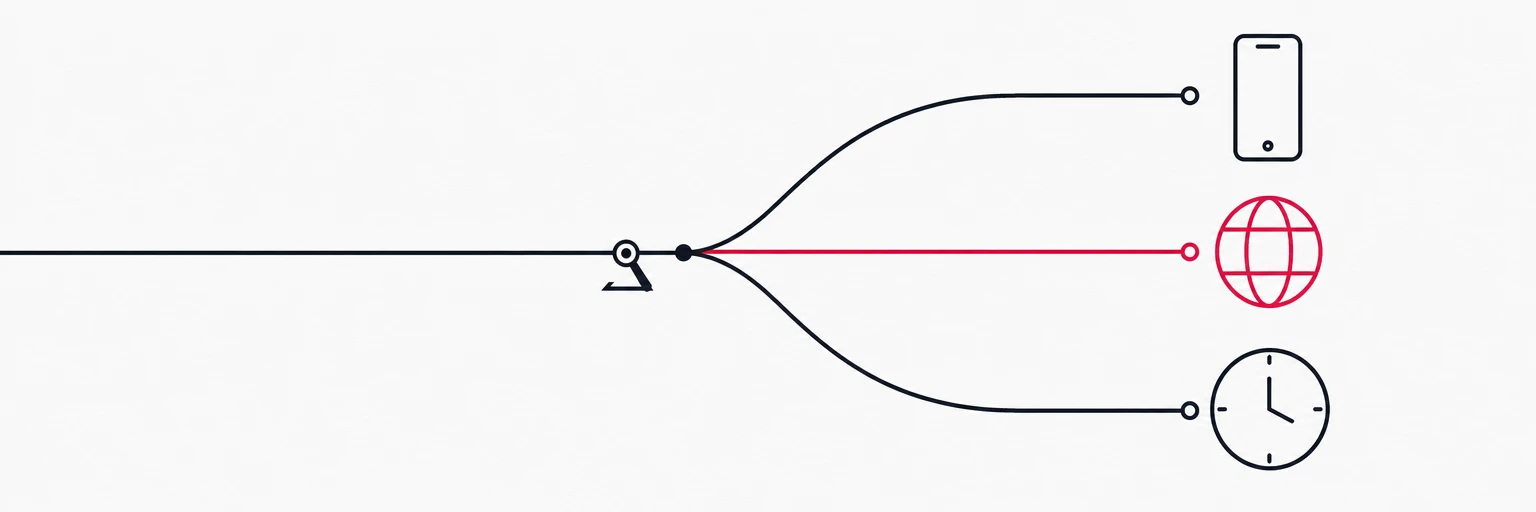
On rii.link Premium, a redirect is a small decision tree (on Free, a link is a single redirect). The visitor's request enters at the top and follows the first branch whose condition matches; if none matches, it takes the default. Each router node inspects one attribute of the visit:
| Router | Matches on | Typical use |
|---|---|---|
| Device | Operating system, device type | App store splits, mobile-only pages |
| Location | Country, continent | Regional shops, legal pages, language-by-region |
| Language | The visitor's preferred language | Localised landing pages |
| Browser | Browser name | In-app browser workarounds, unsupported-browser notices |
| Query parameter | Any parameter on the short link, such as utm_source | Channel-specific pages, partner routing |
| Time window | Days of the week and times of day, in a timezone you choose | Office hours, weekly offers, evening pages |
| A/B split | Weighted percentages | A/B tests, gradual rollouts |
Routers can be chained: a location router can lead into a device router, which leads into a time window. Rules evaluate top-down and the first match wins, so order is part of the logic, not just presentation.
The four patterns that cover most links
Platform split. One QR code or one bio link, three destinations. The device router sends iOS to the App Store, Android to Google Play, and everything else to a web page that explains the app. This is the pattern almost everyone builds first, and it pays for itself on the first printed poster.
trigger
├─ device.os = ios       → https://apps.apple.com/app/…
├─ device.os = android   → https://play.google.com/store/apps/…
└─ default               → https://example.com/app
Geo split. Country-specific shops, pricing pages, or legal notices. Match the countries you have a real page for, and let the default carry the rest to a global page. Resist the urge to enumerate every country; three branches and a default beat thirty branches and a maintenance burden.
Time window. A schedule that repeats every week: weekday office hours send visitors to the live-chat page, evenings and weekends to the help centre; a Friday-evening offer runs from 18 to midnight. Inside the window, visitors land on one page; outside it, on the default. Because the redirect decides at click time, the printed code, the old tweet and the newsletter from March all follow the schedule without a single edit. Set the timezone explicitly; "midnight" is not a time until you say whose.
Traffic split. Two landing pages, weighted 50/50, or 90/10 for a cautious rollout. Each branch sends visitors to its own page, so compare the two pages where they convert; rii.link counts clicks per link, not per branch. When the winner is clear, move the weights to 100/0 and the losing page simply stops receiving traffic.
Combine, but keep it readable
Real campaigns stack two of the patterns. A support link might be: during office hours, split by platform to the right app's chat; outside them, everyone to the help centre. That is a time window whose "inside" branch leads to a device router, and whose "outside" branch is a plain redirect. It reads as a sentence, so it is fine.
The moment a tree needs a diagram to explain, split it into two links. Two simple links with clear names are easier to reason about, easier to hand over, and far easier to debug at 5pm on launch day than one clever link with nine branches.
Keep a default, always
Rules should be the exception path, never the only path. A link with conditions but no fallback will eventually meet a visitor you did not predict: a new device class, a VPN exit node in a country you never listed, a link preview bot, a crawler, or a corporate proxy that strips the language header. The default keeps that visit useful instead of dead.
rii.link requires a default branch on every condition and time-window router for exactly this reason. Make it the safest destination you have, usually a page that works for anyone, and treat every specific branch as an improvement on top of it rather than a replacement.
Measuring a routed link
A routed link is several links wearing one URL, so its analytics need to say which branch each click took. On rii.link, clicks are broken down by device, country, browser, referrer and UTM values per domain, and each link shows up in the top paths. The branch itself is not charted, so measure branches where they land. Two things to keep in mind:
- Compare branches, not the link. A 3% conversion on the whole link hides a 6% branch and a 1% branch. Look at destinations.
- Watch the fallback page. If the default destination suddenly gets more traffic, a condition has probably stopped matching, for example after a platform changed how it identifies itself.
Status codes on routed links
Every redirect branch carries its own status code, and for routed links the choice is easy: 302, the default. A permanent redirect would let browsers cache one branch's destination and skip your rules on the next visit, which defeats the point of routing. The only branch that might deserve a 301 is one that will never change again, and on a routed link that is rare.
Written by
Florian
Florian builds rii.link, the routing layer behind short links: redirects, dynamic responses and links that answer AI agents. He writes The Redirect about what happens between a click and its destination.